Wowza Streaming Engine • Facebook Live tutorial

Stream on Facebook with Wowza Streaming Engine

Follow this step-by-step guide to configure Stream Targets in Wowza Streaming Engine and broadcast live video directly to Facebook from your Primcast server.

4-step guide Facebook Live 24/7 live support

Step-by-step guide

Follow each step carefully to configure Wowza Streaming Engine to broadcast live to Facebook.

1

Access the Wowza application

In your Wowza Streaming Engine Manager, select the application you want to stream from - for example the application live. From there you can check which streams are connected by accessing Incoming Streams.
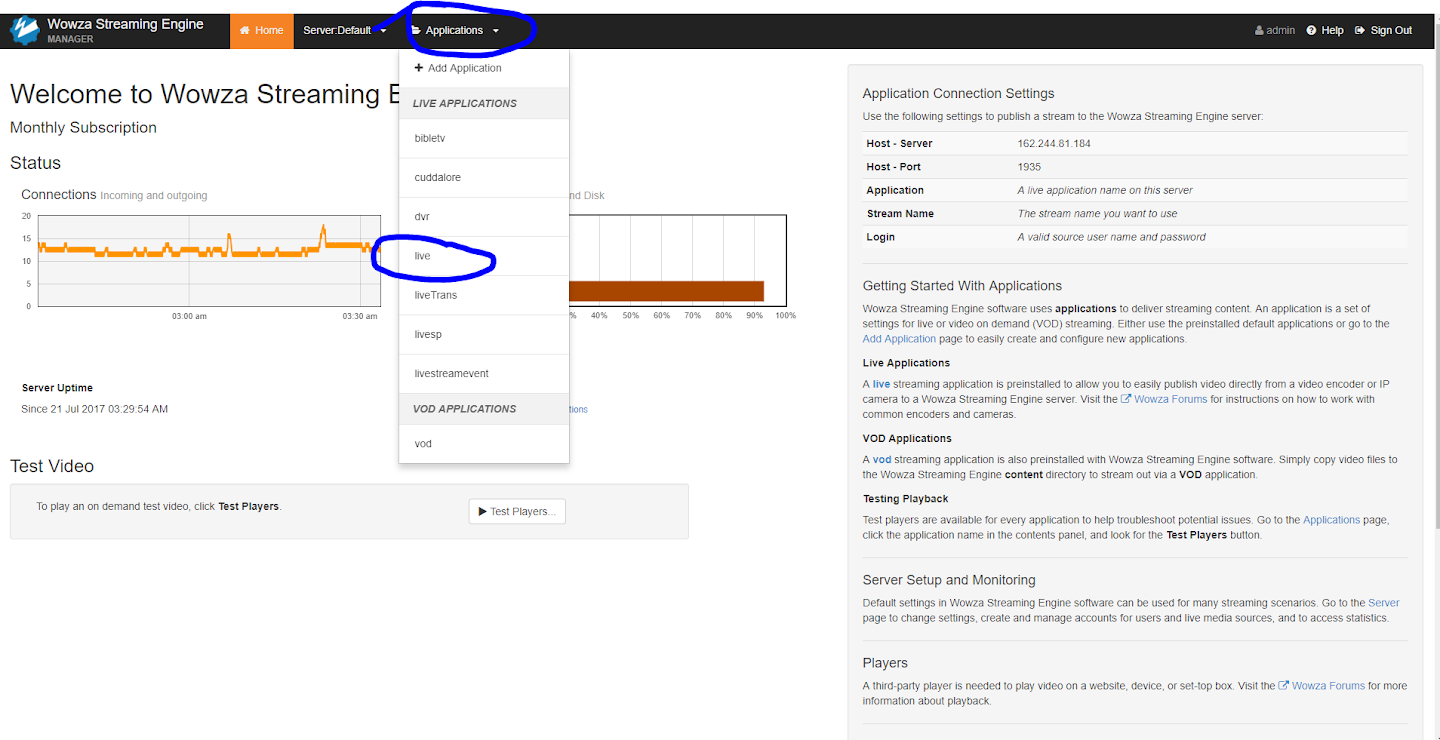
Wowza - Select application Expand
2

Enable Stream Targets

Make sure Stream Targets are enabled by clicking Enable Stream Targets. You can verify the stream is reaching the server via Incoming Streams. Then click Add Stream Target to create a new target.
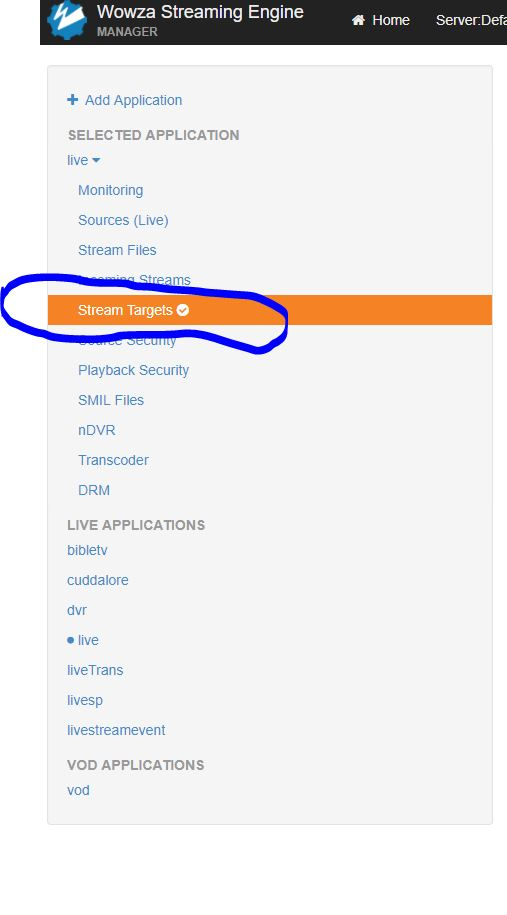
Wowza - Enable Stream Targets Expand
3

Configure the Facebook Live stream target

Click Add Stream Target and select Facebook Live, then click Next. On the Configure Target step, fill in the following fields:

  • Stream Target Name - a unique descriptive name (no special characters; include the bitrate for clarity)
  • Source Stream Name - the name of the incoming source stream to send to Facebook
  • Title - the title of the live video post as it will appear on Facebook
  • Description - the description of the live video post as it will appear on Facebook

Then log in to Facebook to authorize your account. Click Continue as [your name] and set the default privacy level. Finally, select your Video Destination (Timeline, Page, Group, or Event) and set the desired post privacy. Click Finish to activate the stream target.
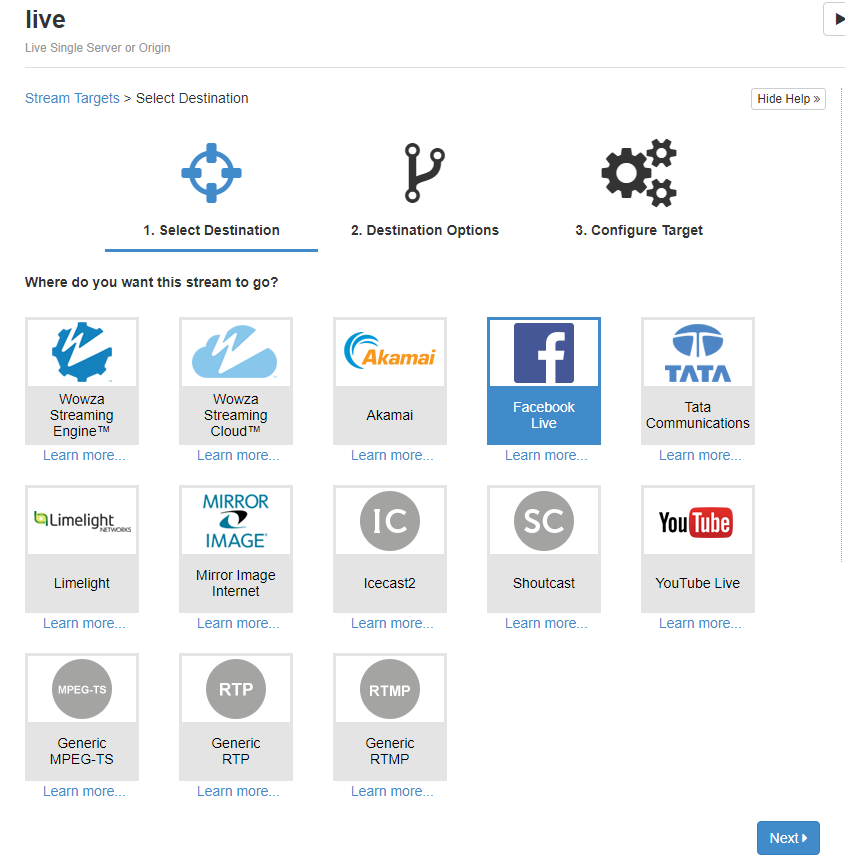
Wowza - Configure Facebook Live target Expand
4

Stop the stream target

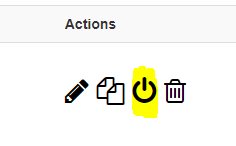
When you want to end your broadcast, go back to your Wowza Streaming Engine Manager and click Disable this stream target to stop the stream cleanly.

Keep in mind the following Facebook Live requirements:
  • Maximum resolution: 720p (1280 x 720) at 30 fps
  • Audio bitrate: 128 Kbps mono
  • Audio sample rate: 44.1 KHz
  • Maximum stream length: 4 hours
Wowza - Disable stream target Expand

FAQ

Common questions about streaming to Facebook Live with Wowza Streaming Engine and Primcast.

What is the maximum resolution I can stream to Facebook Live?

Facebook Live supports a maximum resolution of 720p (1280 x 720) at 30 frames per second. Make sure your Wowza transcoder output matches this before configuring the stream target.

Where can I post my Facebook Live stream?

When configuring the stream target, you can choose to post your live stream to your personal Timeline, a Page you manage, a Group you manage, or an Event you are hosting.

What audio settings does Facebook Live require?

Facebook Live requires a mono audio bitrate of 128 Kbps and a sample rate of 44.1 KHz. Configure these values in your Wowza encoder settings before starting the stream.

What happens if I need to re-authorize my Facebook account?

If your Facebook authorization expires, delete the existing stream target and create a new one. During the Configure Target step, click the Facebook login button again to re-authorize your account and grant the necessary permissions.

Do I need a paid Primcast plan to use Wowza Streaming Engine?

Yes, you need an active Primcast streaming plan that includes a Wowza Streaming Engine instance. Visit our Video Streaming page to view available plans and get started.

Ready to go live?

Our audio and video streaming services include unlimited connections, unlimited bandwidth, and 24/7 expert support to keep you on air.